See It in Action
A full CRM experience — right inside Google Sheets.
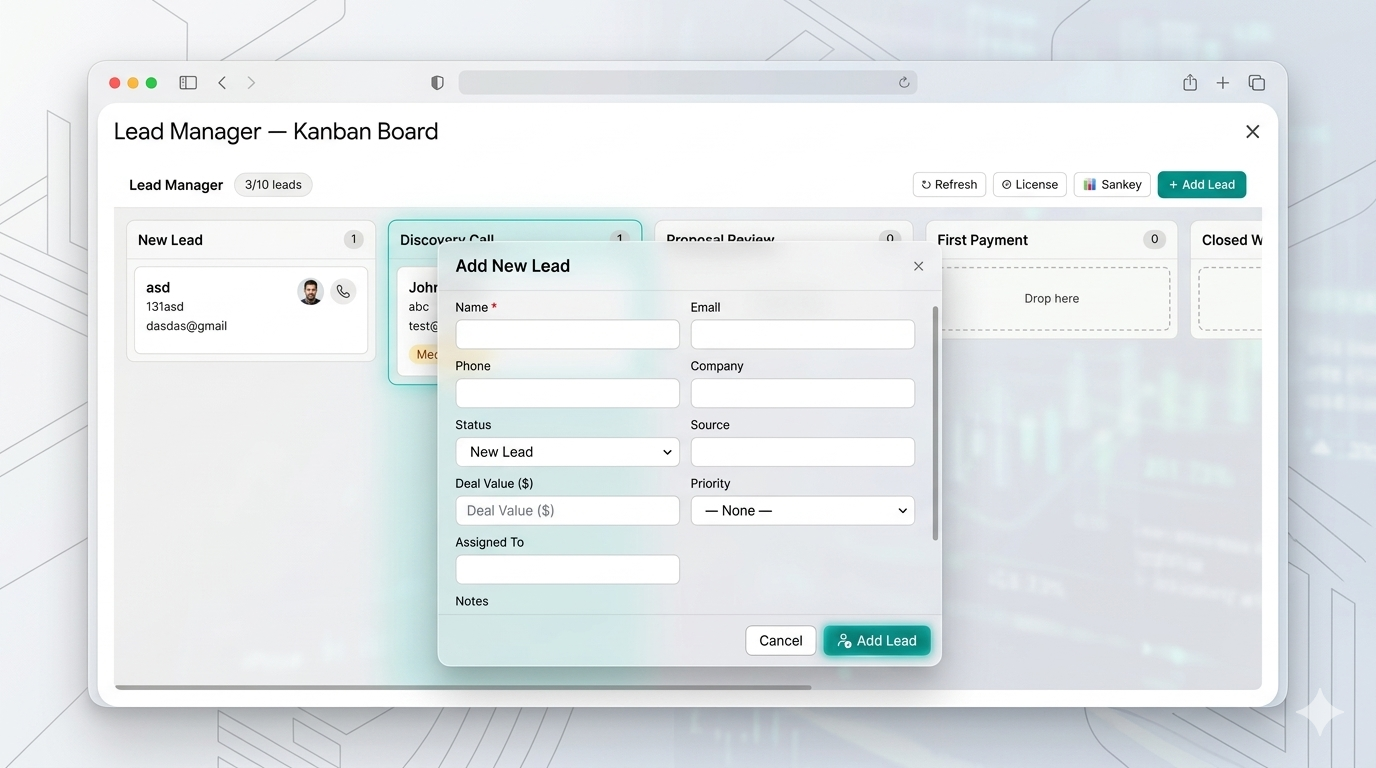
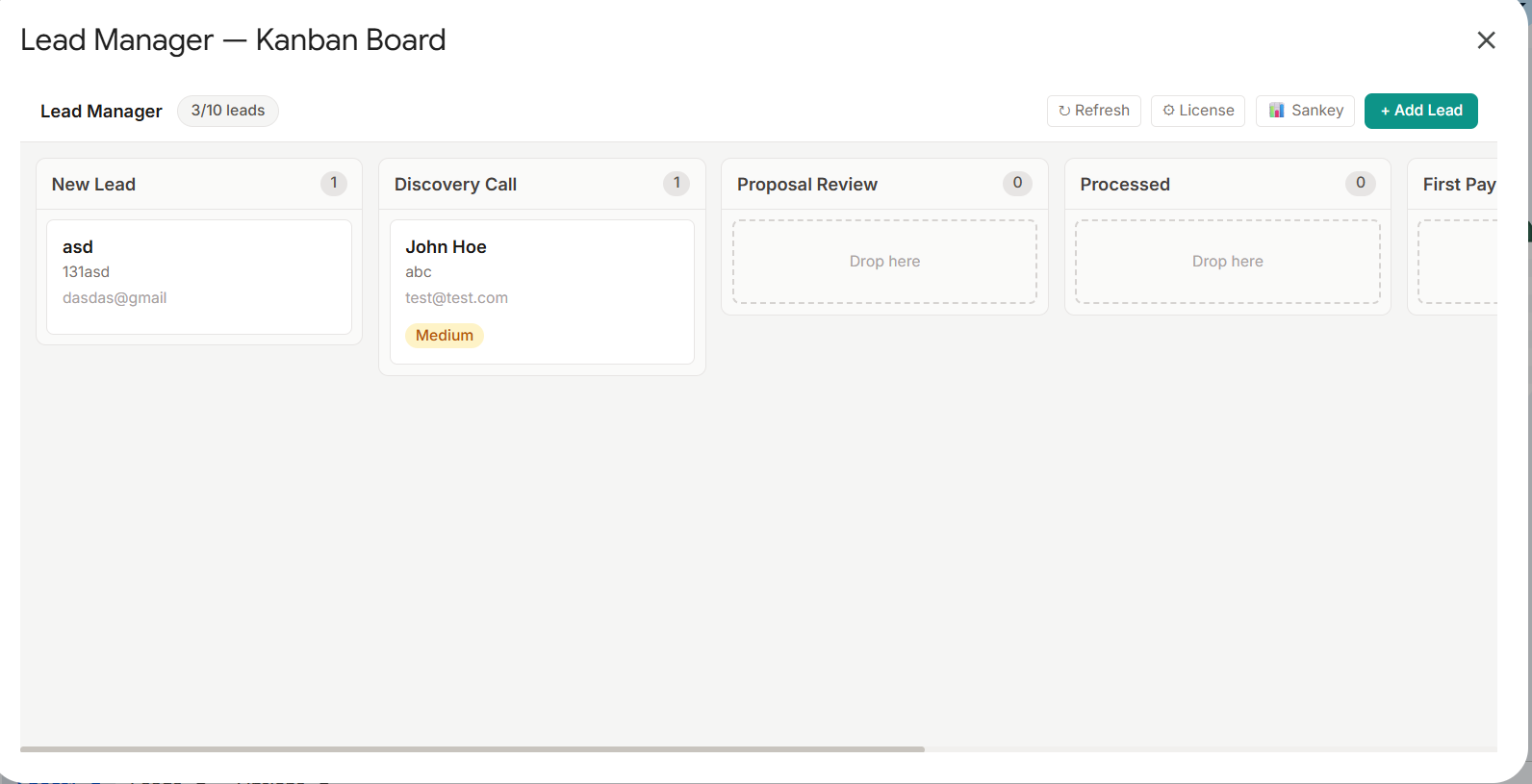
Kanban pipeline with drag-and-drop columns
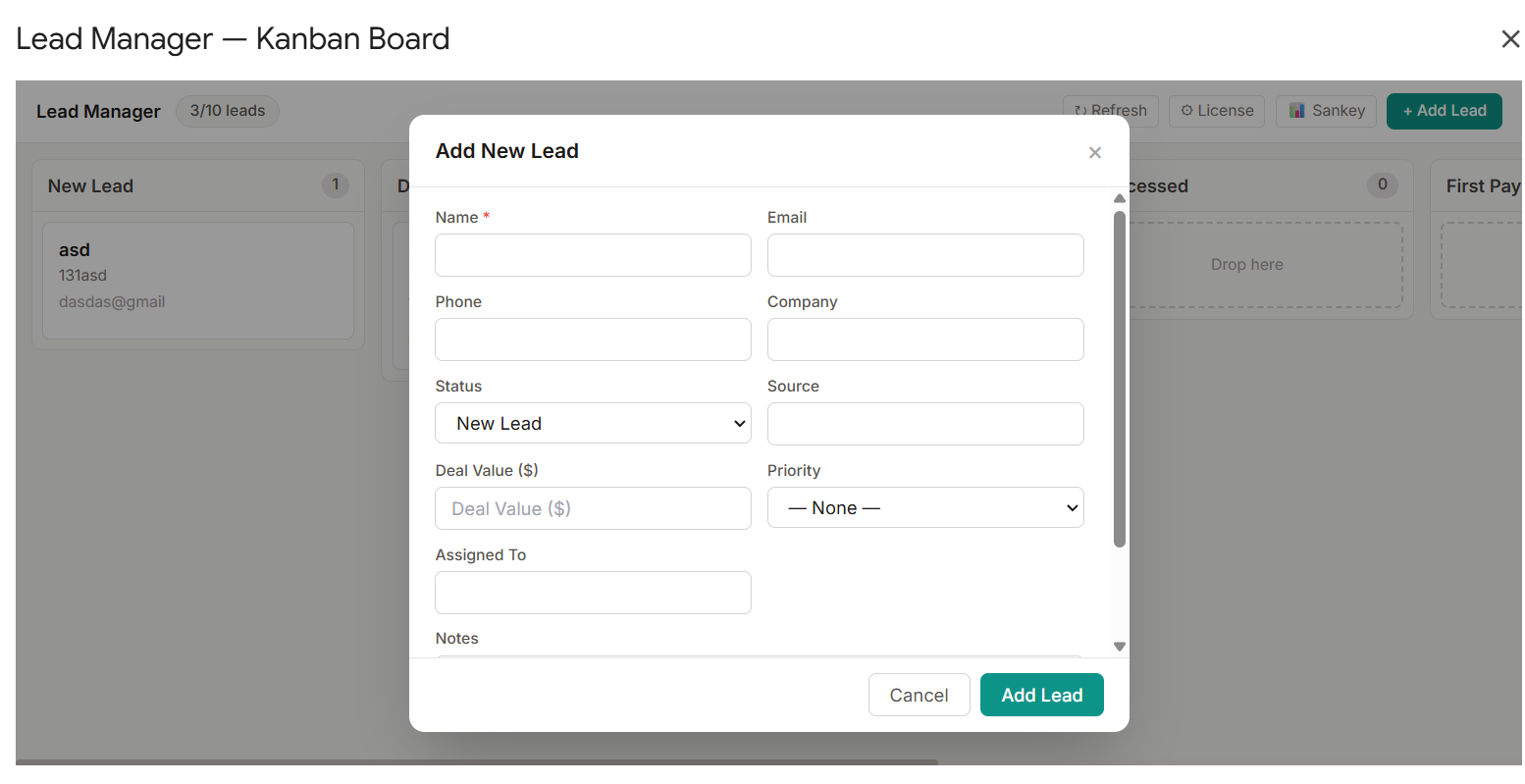
Rich lead form with custom fields
Turn Google Sheets into a Powerful Sales CRM
Manage your entire sales pipeline without leaving Google Sheets. A Kanban board built right into your spreadsheet — drag leads through stages, track deal values, and visualize conversion with Sankey analytics.
A complete CRM experience powered by Google Sheets
Visualize your full sales pipeline in a drag-and-drop Kanban board with configurable status columns — New Lead, Discovery Call, Proposal Review, and more.
Add, edit, view, and delete leads with a rich form. Core fields included out of the box — name, email, company, deal value, priority, assigned to, and more.
Move leads across pipeline stages instantly with HTML5 drag-and-drop. Changes sync directly back to your Google Sheet in real time.
Understand how leads convert from source to outcome with an interactive Sankey diagram — spot your best channels and drop-off points at a glance.
Define your own lead fields beyond the defaults. New columns are created automatically in your sheet, keeping data structured and queryable.
Get started at no cost with up to 10 leads. Upgrade to Premium for unlimited leads and advanced entitlements via a license key.
A full CRM experience — right inside Google Sheets.
Kanban pipeline with drag-and-drop columns
Rich lead form with custom fields
No complex setup. No new accounts. Just open your Google Sheet and start managing leads in minutes.
Download the Lead Manager sheet from our store. Open it in Google Sheets and launch the add-on from the Extensions menu. Your Kanban board is ready in seconds.
Create leads with name, company, deal value, priority, and custom fields. Each lead becomes a card on your Kanban board — drag it forward as deals progress.
Use the Sankey analytics view to see which lead sources convert best. Focus your energy on the channels that deliver results and grow your pipeline.
Your data lives in Google Sheets — a tool your team already knows. No migration, no onboarding friction, no extra subscriptions.
Configure pipeline stages and custom fields to match your exact sales process. The add-on adapts to you, not the other way around.
The free tier supports up to 10 leads — enough to test the full workflow before committing. Upgrade with a license key when you're ready to scale.
No new tools, no extra logins — just open your Google Sheet and launch the add-on. Free tier available, premium upgrade in seconds.
Have questions? Contact us directly:
[email protected]